General Description
A more detailed description of the entire platform for a clearer understanding of how it facilitates the work of organizing events and improves comfort for participants.
Data inputs
Overview of data types that OFeed operates with:
- Start lists
- Results
- Changes from the start captured by the O Checklist mobile app
- Changes from the presentation (late entries, card number changes, category changes, start times changes, etc.)
List of Events
The list of events on the home page has three modes:
Cards- A list of events, including logos; if no logo has been uploaded, the default logo is displayedList- Simple and compact tableMap- Events displayed on a map based on the coordinates of their event centers
You can filter the displayed events:
Overview- Events overviewUpcoming- Events that are still in the planning stagesRecent- Events held over the past 30 daysAll- Shows all events
Event Settings
Detailed description of each section in the Event Settings.
Event Information
Discipline- select the type of eventHundredth precisionRanking- calculates Czech ranking points in real timePublished- visible/invisible in the list of events on the homepage. You can also configure this using the toggle switch in the settings header.
Publishing and schedule
Used to set:
- when split times should be published
- when registration is open
- whether results are final
Import from external IS
Link the event to an external information system (e.g., Oris, Eventor) and pre-fill the form when creating a new event.
Event Password
Generate password- if you plan to connect other app with OFeed, you need to generate a password that will be used. Shows QR code forO ChecklistconnectionRegenerate password- use in case of password leakRevoke- invalidates actual passwordPassword expiration- generated password is valid for 7 days
Configuration of apps
First, you need to generate an event password so you can view the app settings.
O Checklist- shows QR code that can be used for simpleO Checklistconnection. Scan the the code and confirm opening provided link. Or you can open the link by clicking the button with the app icon.QuickEvent- credentials for the Service setupSI-Droid Connector- shows QR code that can be used for simpleSI-Droid Connectorconnection. Scan the the code and confirm opening provided link. Or you can open the link by clicking the button with the app icon.MeOS- details for connecting via MOP. You must first create a connection and generate a competition ID there.
Event Link
This can be used to promote the race, for example on social media. It’s best to create a slug first so that the shared URL looks nice.
Danger Zone
Delete competitors- deletes all competitors - is useful in case of duplicities appear, classes remainDelete all event data- deletes competitors, classes, relays, passwordDelete event- completely deletes the entire event
Limitations
Real-time data synchronization requires mobile network availability at both the event center and the start.
Progresive web application (PWA)
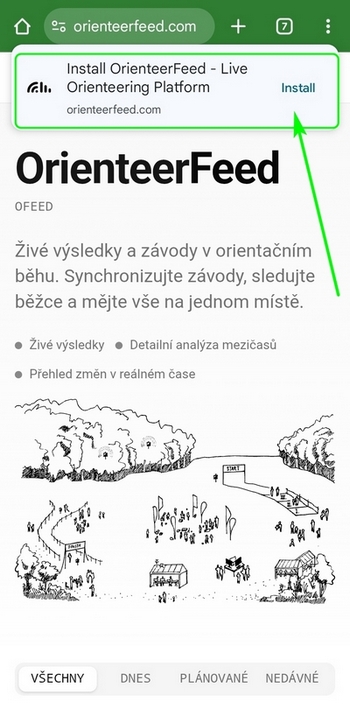
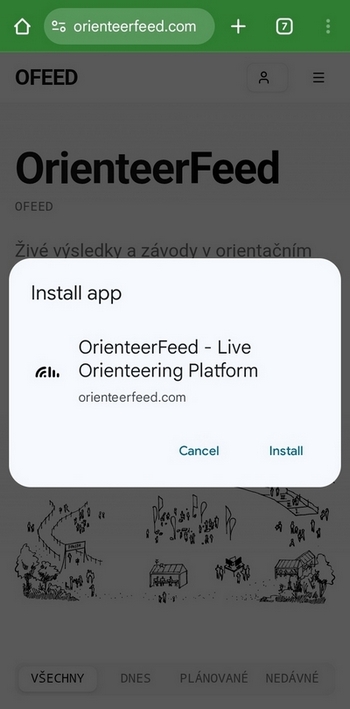
OFeed supports PWA, and the site can be installed via a pop-up window. The installed app provides a smoother browsing experience and can be launched directly from your home screen.
Public Appearances
Overview of mentions of OFeed:
- Methodical Seminar for Coaches and Referees recording
- Workshop: Technické zajištění závodů (QuickEvent), Oris, Metodický portál