MeOS

You can upload start lists and results using MeOS Online Protocol XML 2.0 (MOP). Simply configure:
-
Generate a password in the
Event Passwordcard -
In the
Configuration of appscard, go to theMeOStab and click theGenerate Bindingbutton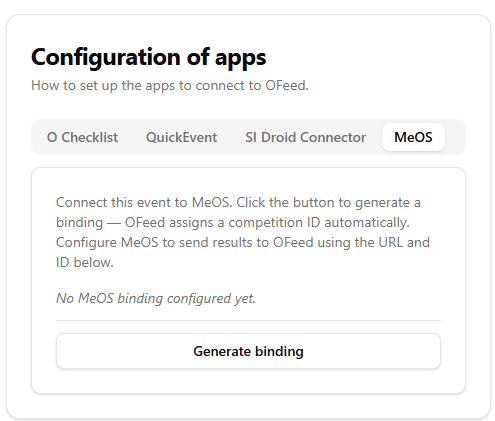
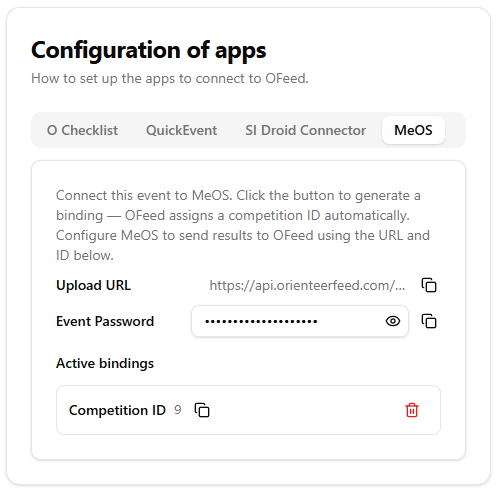
-
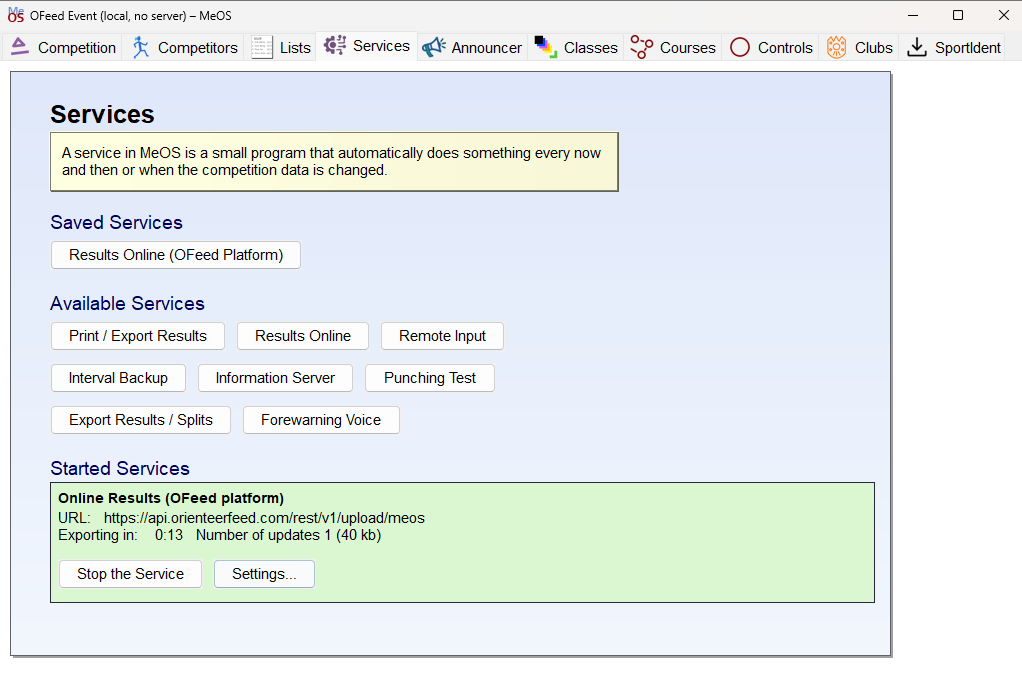
In MeOS, go to the
Servicestab and selectResults Online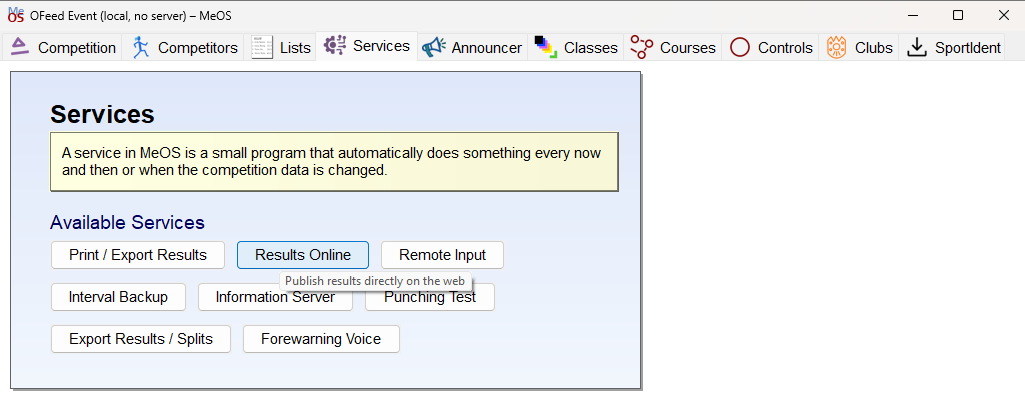
-
Configure according to the screenshot (values from the
MeOSsection in theConfiguration of appscard)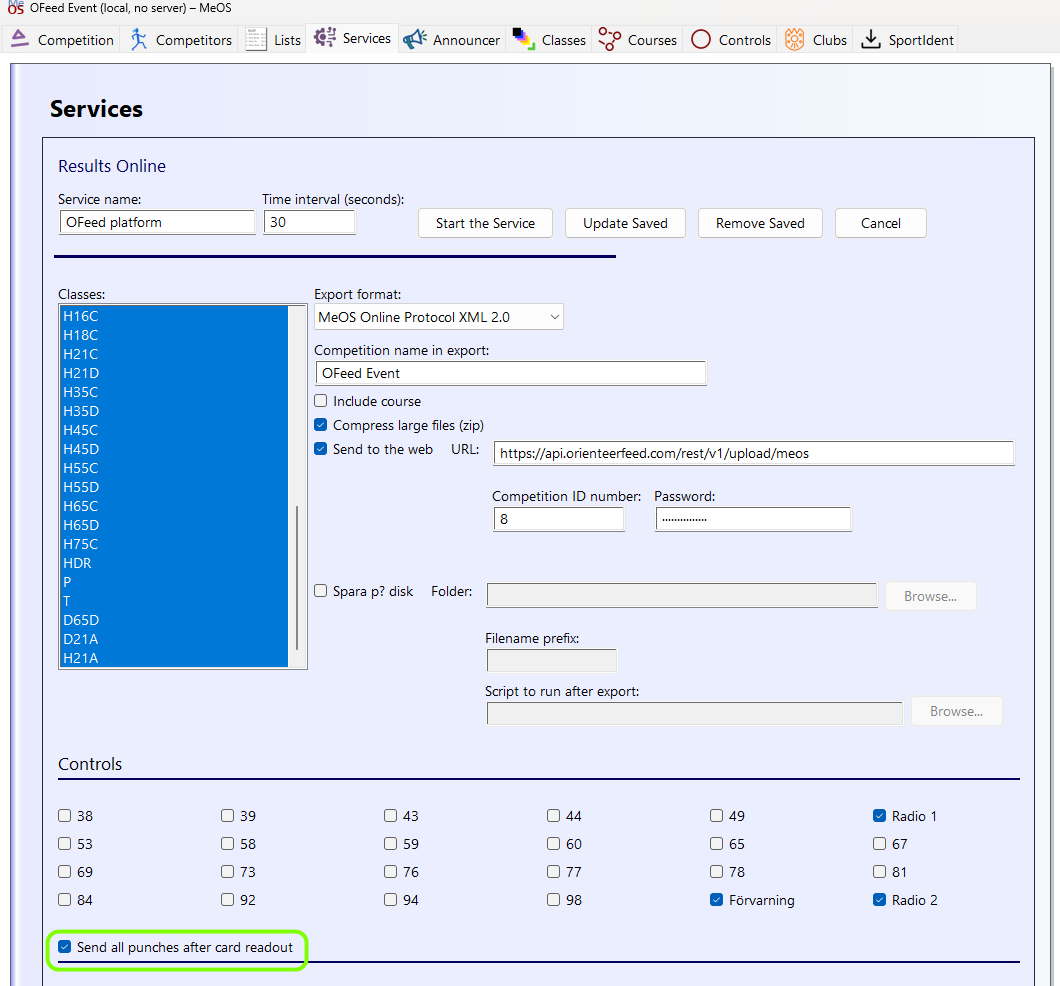 tip
tipDo not forget to tick the
Send all punches after card readoutcheckbox, which enables split times visualization and analysis inOFeed. -
Save the settings and start the service
 tip
tipIf you use MeOS Online Protocol and you have a stable internet connection, you can try to set the export interval to 0 (leave blank). MeOS will then update the competition as soon as a data change is detected.