QuickEvent

QuickEvent 3 has a dedicated Service that handles all the communication to the platform. The service manages initial upload of the start list after startup and regular uploads of the results and changes made while editing and read-out (database events are invoked and processed).
Service Setup
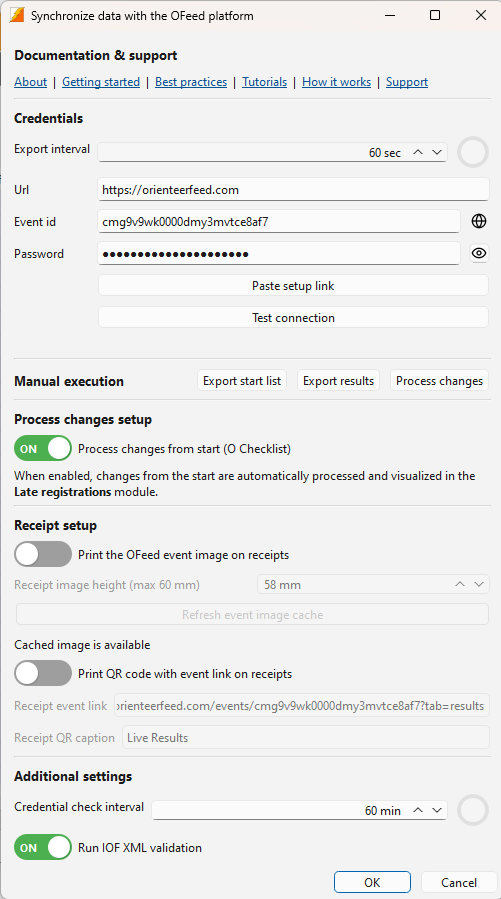
- Display
Services - Open Service -
settingsicon. Opening the settings for the first time showsGetting starteddialog with the links how to start usingOFeed.
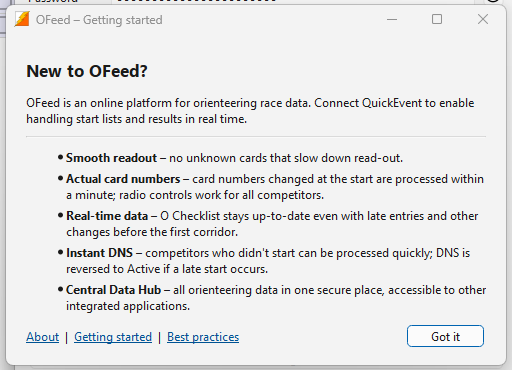
-
Fill in the credentials by pasting copied link, click
Paste setup link- Copy in
OFeed
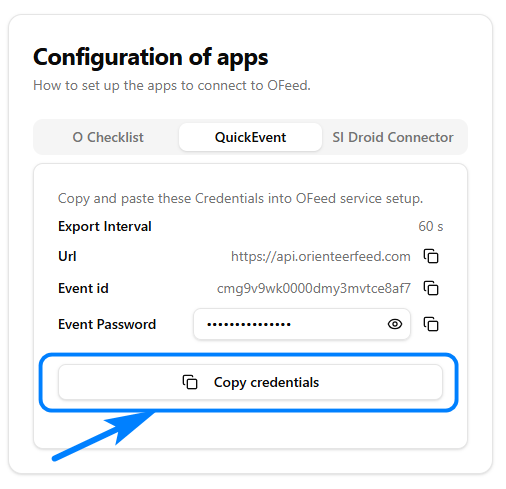 2. Paste in
 QuickEvent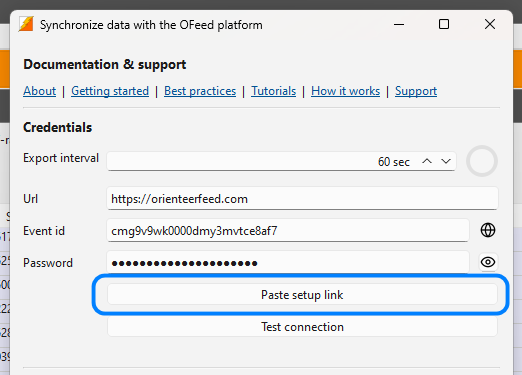
- Copy in
-
Test connection by clicking
Test connectionbutton - name of the event is displayed if everything is ok -
Click the toggle button to enable processing of changes from
O Checklistif you use it

- Start the service -
playicon, the red dot goes green


- Manual startlist/results upload via buttons
Export startlist/Export results
Processing Changes
Changes sent back to QuickEvent are processed completely automatically. The service regularly checks for available updates and applies them to the database. There is also a backup table that stores all processed changes.
Setup Receipt
You can configure:
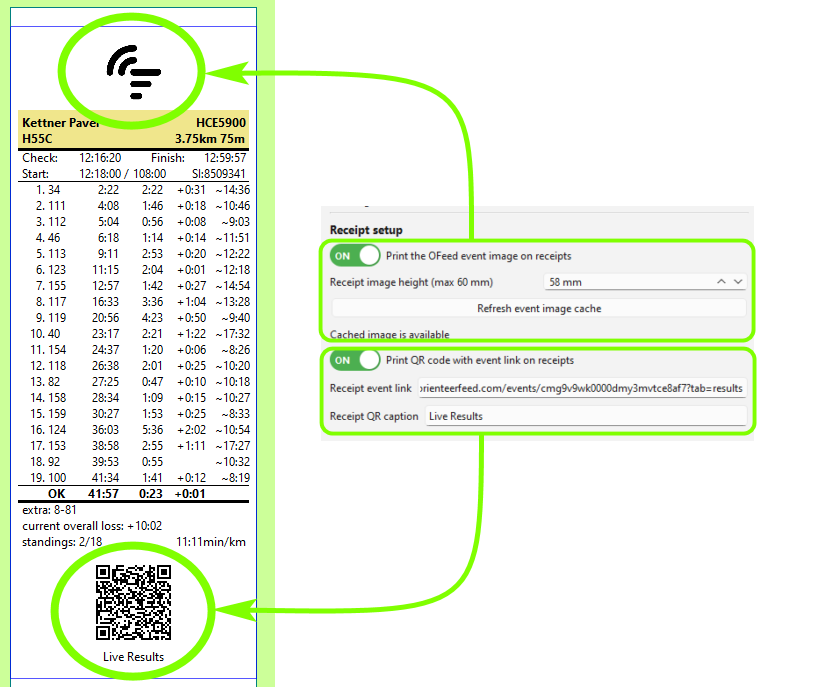
- Event logo at the top (height can be adjusted)
- image is loaded from
OFeedif uploaded, you have to clickRefresh event image cache
- image is loaded from
- QR code with link to the event results and custom caption at the bottom
- competitor's class is used and url param
classis appended so the QR code opens the correct category
- competitor's class is used and url param
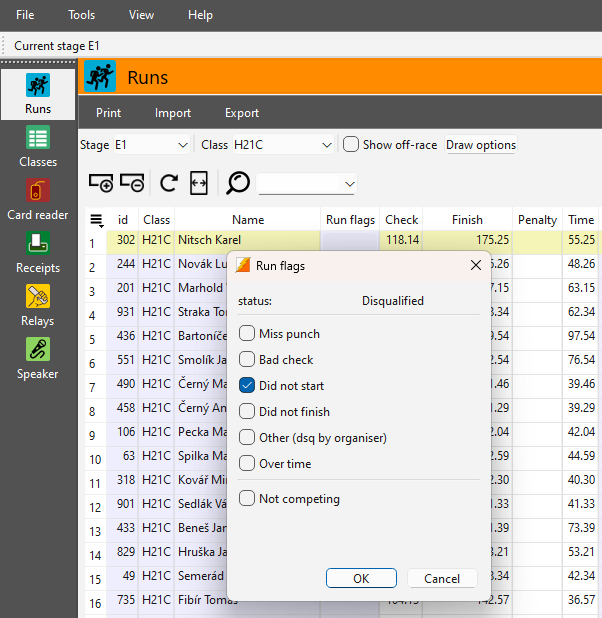
Run flags
Use Run flags for DNS instead of the off-race checkbox, which removes the competitor from the XML export.
How does the service work
- Uploads starlist on startup
- Every
xxsec uploads startlist, results and processes changes (when enabled) - Reacts on database events
- competitor edited
- competitor added
- competitor deleted
- competitor read-out
- Sends just changed data
- Fills column
Corridorwith the change time fromO Checklist - Validates credentials in regular interval
QuickEvent Tutorial
How to use QuickEvent in general is described in video 👉.