Connect to O Checklist
OFeed has been supported in the official release of the app since version 5.
Install the app
O Checklist is a free Android app that can be downloaded and installed from Google Play.
How to Connect
- Create a new account at https://orienteerfeed.com/signup
- Create a new event and generate a new password
- Upload data (either manually upload an IOF XML file or use a dedicated service based on your organizing software)
- Connect the device running the O Checklist app to the internet
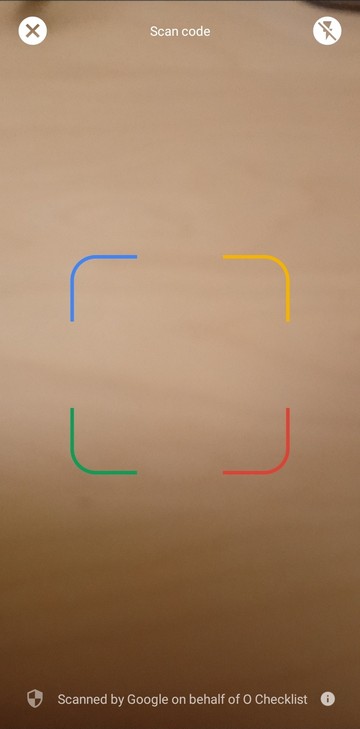
- Scan the QR code within the O Checklist mobile app—both outside and inside scanning options work.
- You can easily share the QR code with the start crew by clicking the
Sharebutton and selecting your preferred communication app (Messenger, WhatsApp, etc.)
- You can easily share the QR code with the start crew by clicking the
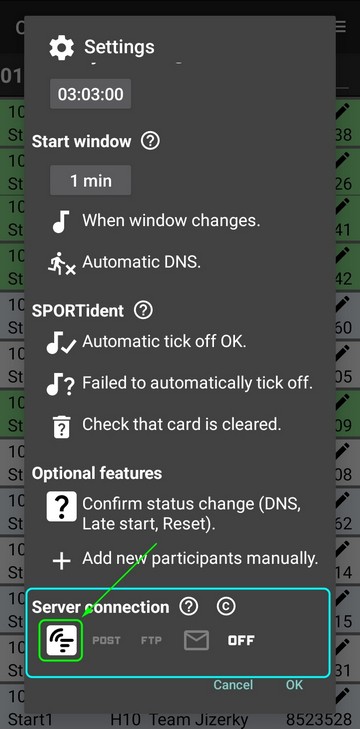
- You can use manual settings: in
Settings, underServer connectionclick on the OFeed icon
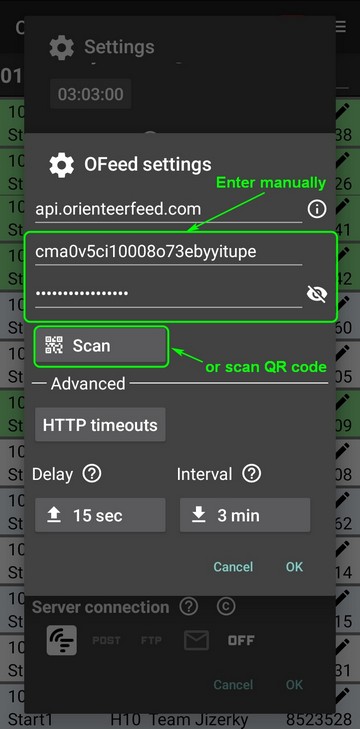
Then, fill in the credentials provided in your event settings, or click Scan to scan the QR code.
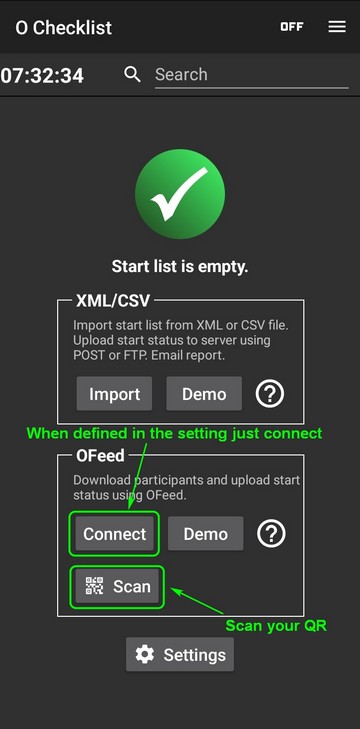
On the home screen (with eleted data), you can also start scanning the QR code.
- For loaded categories, verify the event name, date, and organizer
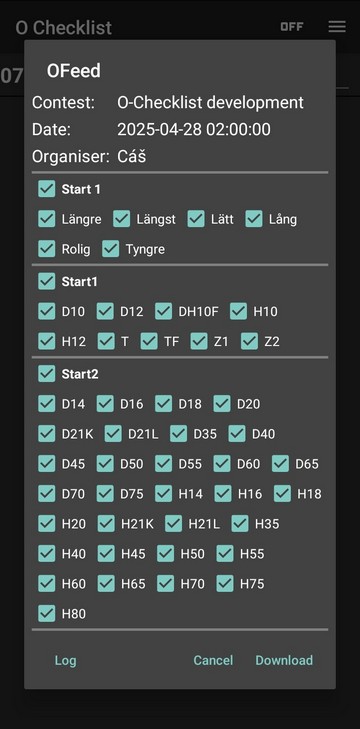
- Select the required categories by ticking or unticking them according to the start name, e.g.,
Start 1
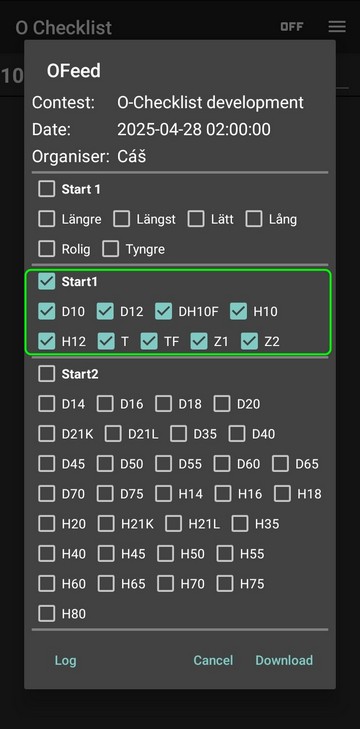
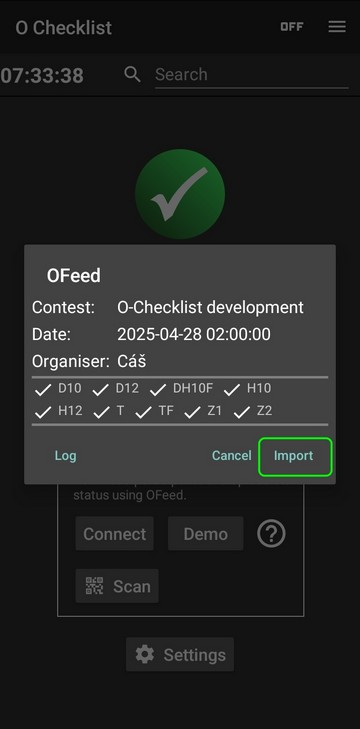
- Confirm the data download by clicking the
Importbutton. A checkmark next to the class name indicates that the data for that class has been successfully downloaded.
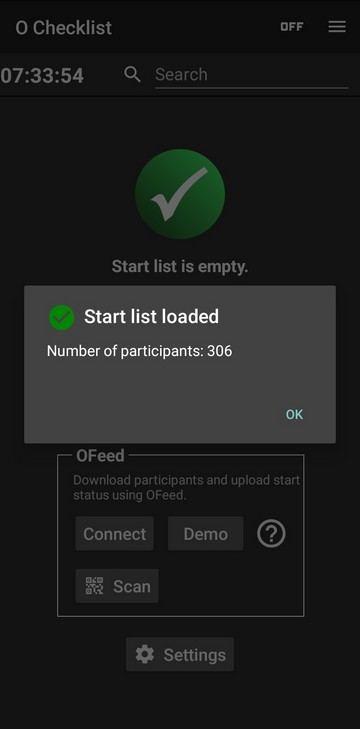
The number of imported participants is displayed
- Update a competitor's status and details (card number and note) either via a connected SportIdent unit or manually
Changes Synchronisation
- Changes made at the start are uploaded to the
OFeedplatform at regular intervals - Changes made at the registration office, via online forms, etc., are detected and downloaded to the O Checklist app. You are synchronized with the
OFeeddatabase in real time
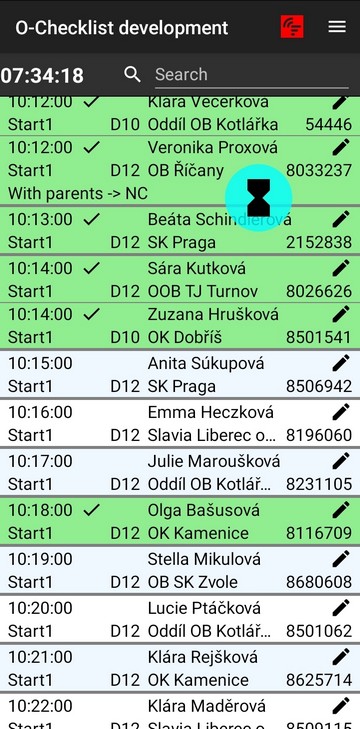
If a synchronization error occurs, the OFeed icon will have a red background.
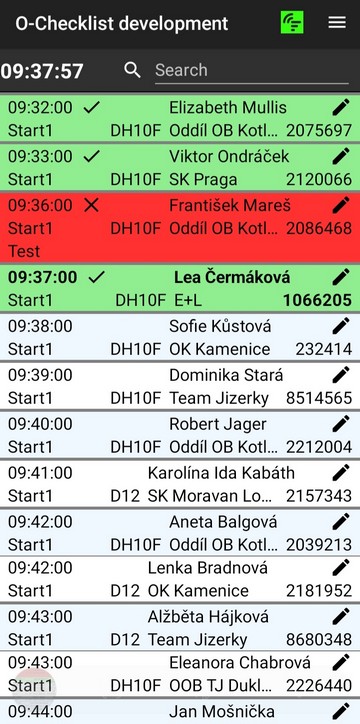
Under normal conditions (when everything works as expected), it should be green
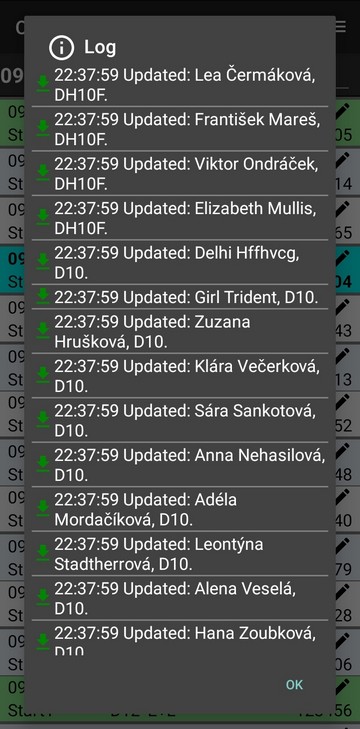
You can open the log by clicking the OFeed icon in the upper right corner.
Visualize Changes
The OFeed app provides a detailed report within the event administration (private, so you need to be logged in). You can easily filter the data according to your needs.